For the significant adults in a kid's life: parents, grandparents, aunties, uncles, godparents, family friends
Make a retro video game with a kid you love
The guide shows you how, step by step. An afternoon or two, paper, textas and a bit of AI. They design it. You build it. You both get time together worth keeping.
Instant PDF, around 100 pages, every question and every prompt. Prefer paperback? Buy on Amazon
Ages 3 to 14No codingAn afternoon or twoStep by step
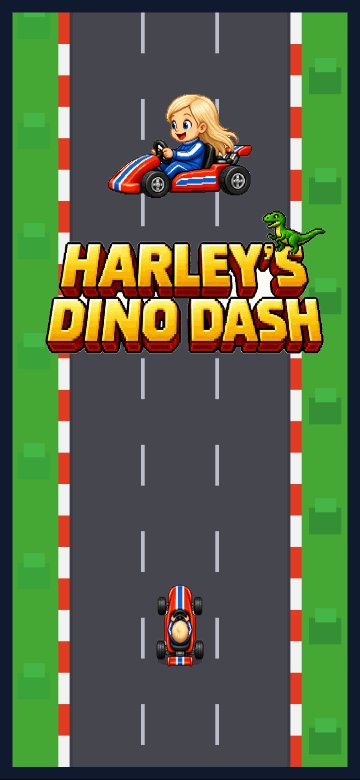
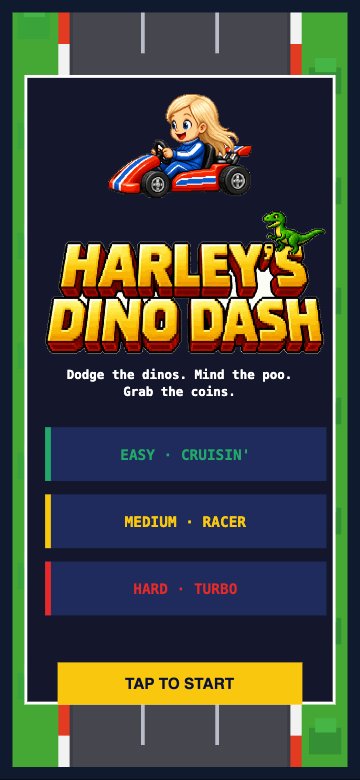
Harley's Dino Dash · Harley, age 3
You want time with them. They want a game. This is both.
Everyone is busier than they used to be, and it is not getting better. Work follows us home in our pockets. The gap between being in the room with a kid and being with them quietly widens, and nobody chooses it. Attention is the rare thing. This gives it somewhere to go.
You ask the questions. They draw the hero and make up the rules. Then AI turns the drawings into a real game on their phone, with both your names in the credits.
The game is retro on purpose. Three lives, a clock, a proper ending. Small enough to finish in an afternoon or two. Theirs enough to show every mate at school.
You never need to know anything about games or code. You need one afternoon and a packet of textas.
Kids will not remember most of what we bought them or booked for them. They will remember who was there, and what we made together while they were.
Real games, real kids
Made by kids at a kitchen table
Three real games. Each one designed on paper by a kid and built with AI by the adult beside them. Harley was three. Harper was eight. Play them here, then picture the one with your kid's name in the credits.
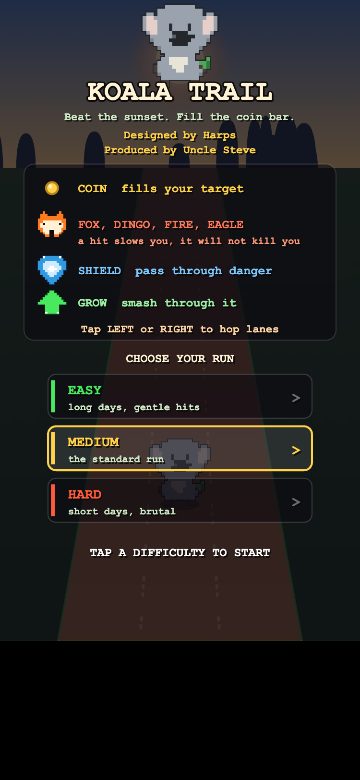
Koala Trail
Designed by Harper, aged eight, while waiting for a bowl of hot chips. Questions, answers, a bit of arguing about the rules. Built on a phone before the chips arrived.
Harley's Dino Dash
Designed by Harley, aged three. A short session on the floor, lots of drawing, and the adult did the rest. "Can I play Harley's game?" is now a sentence in two households.
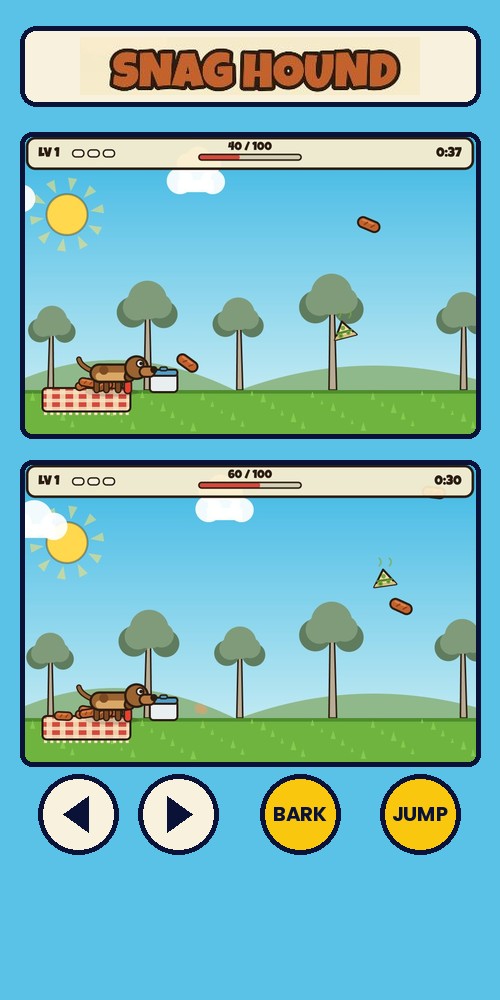
Snag Hound
Designed by a nine-year-old from a full game design document. Banjo, one red sock, Aunty Sharon's mouldy sandwiches. Plays sideways.
Every one of these ends. Three lives, a clock, a real game over. That is on purpose, and it is in the guide.
Thirty minutes for you, with a cuppa, before the kids are involved. What a game actually is, how AI actually works, and a field trip into their favourite game.
2
Design it together
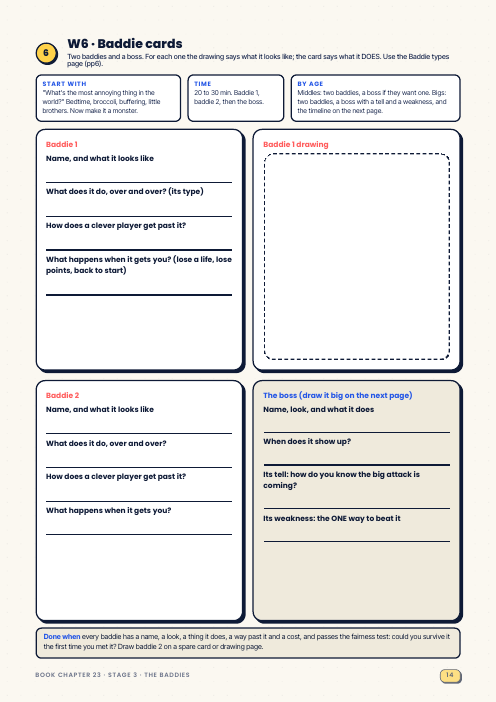
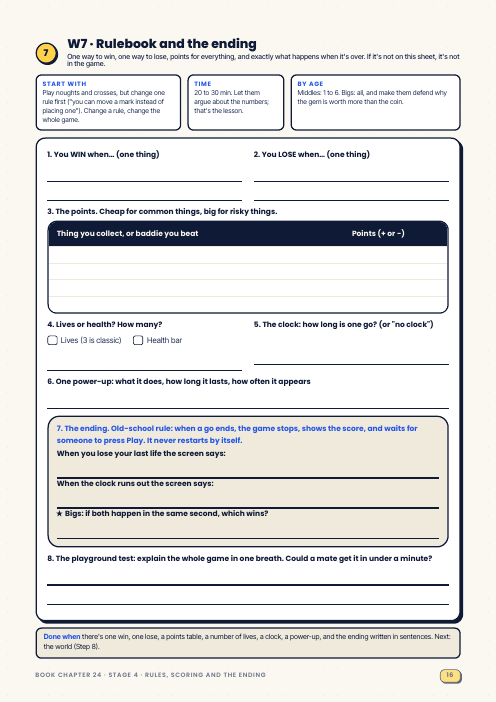
Six short sessions on paper: the big idea, the hero, the baddies, the rules, the world, the paper playtest. You ask. They make every creative call. No screens yet.
3
Build it with AI
Hand the sheets to the AI one step at a time. With the kids beside you, or overnight while they sleep. Copy-paste prompts for every stage. About an hour.
4
Play, reveal, celebrate
The reveal. Launch night. The fridge page, the QR code, the family leaderboard. A certificate, a letter from you, a folder that outlasts the game.
The kid is the designer. You are the producer. You never need to know anything about games or code.
Who it's for
Pick the lane that fits the kid in front of you
Littlies · 3 to 6
One twenty-minute chat on the floor with textas. You do the rest and surprise them with the game at breakfast.
Middles · 6 to 9
Six short sessions, fifteen to twenty minutes each. You write, they draw and decide. You build it overnight, they finish it in the morning.
Bigs · 10 to 14
Six sessions of about thirty minutes. They write, they sit at the keyboard, you sit beside them. There is a chapter on handing a big kid the keys.
Parents, grandparents, aunties, uncles, godparents, carers, family friends. You do not need a matching surname to be part of their story. Not the parent? The first sheet is the five-minute chat to have with them first.
Side effect: you become the grown-up who can make video games. That reputation travels fast at school pick-up.
The guide
Learn it once. Make unlimited games.
Around 100 pages, written for the adult. Part 1 is thirty minutes with a cuppa. After that you can run this with any kid, any afternoon, as many times as you like.
Before
What you'll learn
How a game actually works: the loop, the rules, the score, the ending
How AI actually works, and the two rules that keep it safe for kids
How to run a workshop: the questions to ask by age, and when to stop
How to turn a pile of worksheets into a working game, step by step
How to publish it, get it on a phone, and put it on the fridge
After
What you'll be able to do
Sit down with any kid, 3 to 14, and have a real game on their phone by the end of the day
Make game two, three and ten without opening the book again
Fix and change a game with the AI in plain English
Run it for cousins, the grandkids, a classroom, a birthday
Hand a big kid the keys and watch them build the next one alone
Be the adult who can make video games. Kids talk about that
The kid
What they learn without noticing
Rules and consequences: a collision costs a life, so they wrote a rule
Feedback loops: a flash, a sound, a score. Why games feel good
Incentives and trade-offs: the risky bonus is worth more
Iteration: change one thing, play again, notice, decide
Specification: say exactly what you want, or the AI builds the wrong thing
That AI is a tool they direct, not a thing that happens to them
Hiding the veggies in the sauce. Systems thinking, feedback loops, iteration, patience. Nobody needs an afternoon that feels like a disguised exam. The kid has a game they want to make. The thinking helps them make it.
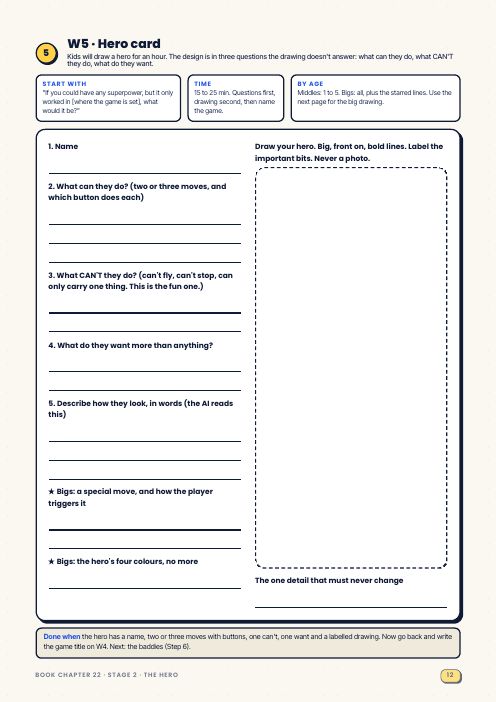
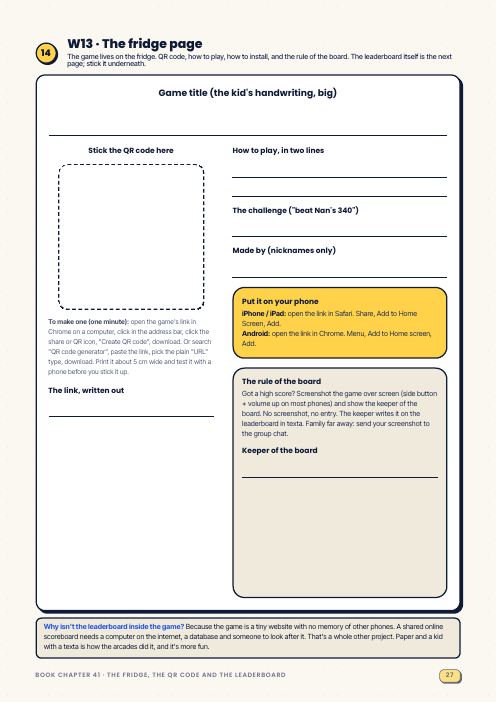
Everything in the guide runs on blank paper. This is the paper, done for you. Thirty-six pages. Fifteen steps, one sheet each, with the questions to ask by age printed at the top of every one. Print it and handwrite, or type straight in and upload the file to the AI.
Seventeen fillable sheets, every design stage, a "done when" line on each
Full-page drawing sheets for the hero and the boss: the drawings become the game's art
A one-page mini design sheet for Littlies
The two-page prompt builder that turns the sheets into the AI brief
Fridge page with QR spot and leaderboard, certificate, a letter from you, the memory folder
Get it with the guide for $27, or add it at checkout.
It was never about the game. The game is the vehicle. The connection is the point.
Harper was eight: questions, answers, reflection, feedback. Harley was three: twenty minutes on the floor, lots of drawing, and I did the rest. Same method, two ages, two kids who own a game. It works at any age because the game bends to the kid, not the other way round.
Keep the drawing with the impossible dinosaur legs. Keep the rulebook in a nine-year-old's handwriting. Keep the video of them explaining it at launch night. In ten years that folder is a museum of exactly who they were that afternoon.
I was at a restaurant with my niece Harper, waiting on hot chips, and the booth had one of those built-in game screens. The games on it were rubbish. So I asked her: want to make a better one?
Who is the hero? What can she do? What is chasing her? By the time the chips arrived we had a design. By the time the bowl was empty we had prompted an AI on my phone into a working game called Koala Trail. Harper played a game she had invented, at the table where she invented it.
My favourite moment came in the middle. While the AI was building, Harper sighed: "this is taking a long time." It had been about three minutes.
Player 1
Uncle SteveThe producer
Who wrote this
A professional uncle
I'm Steve Corney. I'm an uncle by blood to Harper, and Uncle Steve to a handful of other kids whose families have made room for me. I'm not a parent. I get to choose what I bring to those relationships, and I think about that a lot.
I'm a learning designer. Through Learn Awesome I design and package content that helps people learn new skills and build new capabilities, at work and in life. I've been running workshops and facilitating sessions for more than twenty years, and the most fun I've ever had in one was being Harper's producer, and then Harley's. My TEDx talk, Legacy in Bytes, made the case that capturing pieces of our lives for the people we love is one of the most generous things we can do. This is that idea, with textas.
Press Start Together is a Learn Awesome project.
From the families
What happened at their kitchen table
"[TESTIMONIAL]"
[NAME], [ROLE: uncle / grandma / dad] to [KID, AGE]. Made [GAME NAME].
"[TESTIMONIAL]"
[NAME], [ROLE] to [KID, AGE]. Made [GAME NAME].
"[TESTIMONIAL]"
[NAME], [ROLE] to [KID, AGE]. Made [GAME NAME].
[Optional: one line from a kid, in their words, on a yellow card.]
Press start
The guide
$19
The full guide as a PDF, around 100 pages. Every prompt, the whole method. Blank paper does the rest.
Can't I just ask an AI to make a game, without the book?
Yes. You'll get a game. You won't get the afternoon. The guide is a roadmap for turning "make me a game" into an experience: the questions that get a kid talking, the paper stage before any screen, the rules they argue over, the reveal. It teaches you game mechanics so you can teach them sideways. The game is the excuse. The connection is the point.
Do I need to know how to code?
No. You need to be able to ask questions and copy and paste. The AI does the coding. The guide gives you every prompt.
Which AI tool, and what does it cost?
The guide recommends Claude for the build and ChatGPT or Gemini for art, with the reasons. Free tiers are enough for a first game. About US$20 a month makes it smoother. You own the account, not the kid.
Is it safe?
Two rules, non-negotiable: the adult owns the AI account and stays in the room, and nothing that identifies a real kid goes into an AI tool or a published game. Nicknames only. Draw the characters, never photograph the kid.
How long does it take?
One afternoon, or a few short sessions over a week or two. Little kids: one twenty-minute chat plus an hour of your time. Big kids: six half-hour sessions.
What will the game look like?
Retro. Think 1983. A first game is small and finite on purpose: three lives, a clock, a real ending. More polish means more complexity, and the connection is the point, not the pixels.
Isn't this just more screen time?
An hour being fed by an algorithm and an hour making something are both screen time on the tally. They are not the same hour. Most of this happens away from the screen, with paper and textas.
I'm not the parent.
Then the first sheet is a five-minute chat with them: time, device, sharing rule, screen rule. The guide shows you how.
Do I need the workbook?
No. Everything runs on blank paper and the guide tells you what each page needs to hold. The workbook means you press print instead.
Can I use it in a classroom?
Yes. Print and copy for your own class or workshop group. Just don't resell it.
Every game ends. The memory doesn't have to.
One afternoon. One retro game with both your names in it. One kid who remembers you made it together.
 A Learn Awesome project